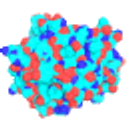
PyMOL
Molecular visualization program from Schrödinger, widely used for protein structure figures.
- Verified facts
- 9 of 9
- Alternatives ranked
- 4
- Approved reviews
- 0
- Visits sent from here
- 0
About PyMOL
PyMOL is a desktop molecular viewer that has long been a standard for looking at protein and small-molecule structures and making publication figures. You load structures (for example from the Protein Data Bank), switch between cartoon, surface and stick representations, measure distances, align structures and render high-quality images and movies. It is scriptable in Python and through its own command language, which makes figures reproducible. Schrödinger maintains it as a commercial product on an open-source foundation: the official builds need a paid licence (with academic and commercial subscriptions), free educational-use builds are available to teachers and students for coursework, and most of the source code is published so people can build an open-source version themselves. It runs on Windows, macOS and Linux. It suits structural biologists, chemists and students who want polished images and a scriptable viewer; people who need cryo-EM map analysis or VR may prefer ChimeraX, and those working with long simulation trajectories often use VMD.
Best for: Structural biologists and chemists making publication-quality molecular figures.
Pros and cons
What works
- Excellent rendering for publication figures and movies
- Scriptable with Python for reproducible work
- Most source code is open, so a free open-source build exists
- Free educational builds for students and teachers
Why people leave
- Official builds and support require a paid licence for research use
- Educational builds can't be used for academic research or publication
- Weaker than ChimeraX for cryo-EM density maps and VR
Top PyMOL alternatives
See all 4- 1UcUCSF ChimeraX66.5
Free for academic and personal use, with strong cryo-EM map tools and VR support.
- 2
 VMD62.6
Free viewer built for large systems and molecular dynamics trajectories.
- 3
 Jmol59.6
Free, open-source viewer that also runs in web pages, good for teaching.
- 4
 Avogadro50.3
Free, open source and better suited to building and editing small molecules.
Why people left PyMOL
In reviewers' own words, from reviews of the apps they moved to. These are their opinions, not ours.
No switching stories yet. If you moved away from PyMOL, review the app you switched to and tell us why.
Reviews
No approved reviews yet. How we verify reviewers
Write a review of PyMOL
PyMOL: common questions
Is PyMOL free?
No, PyMOL is a paid product. Starting price: $99 a year (academic single user) (checked on PyMOL's own site).
Is PyMOL open source?
No, PyMOL is not open source. Open-source alternatives include Jmol.
What platforms does PyMOL run on?
PyMOL is available for Windows, macOS and Linux.
What are the best alternatives to PyMOL?
The highest-ranked PyMOL alternatives right now are UCSF ChimeraX, VMD and Jmol. See the full ranked list for pricing, platforms and verified facts.